Getting Started
Welcome
EMOTION CLOUD API
MetaSoul Emotion Processing Unit can synthesize emotional levels for AI in real-time with responses to one of twelve primary emotions: anger, fear, sadness, disgust, indifference, regret ,surprise, anticipation, trust, confidence, desire and joy, using psychometric functions that shape and react without use of pre-programmed sets of inputs. EPU III is the industry’s first emotion synthesis engine. It delivers high-performance machine emotion awareness, the EPU III family of eMCU are transforming the capabilities of Robots and AI. MetaSoul has completed the production of the first EPU (emotional processing unit); a patented technology which creates a synthesised emotional response in machines.
Cloud Benefits
- EPU Cloud Service provides an evaluation platform for the Emotion synthesis. The cloud API is a vehicle to test and evaluate the emotion synthesis functionality of the EPU. The cloud API gives developers immediate access to Cloud advanced emotion processing engine directly from the web, while allowing them to develop proprietary capabilities that provide true differentiation.
-
- The Cloud Service allows users to access all web app and cloud api services. They can input the secret and send text for synthetization in web app for simple test or demo.
-
MetaSoul API offer an holitic access to it's Emotion AI stack
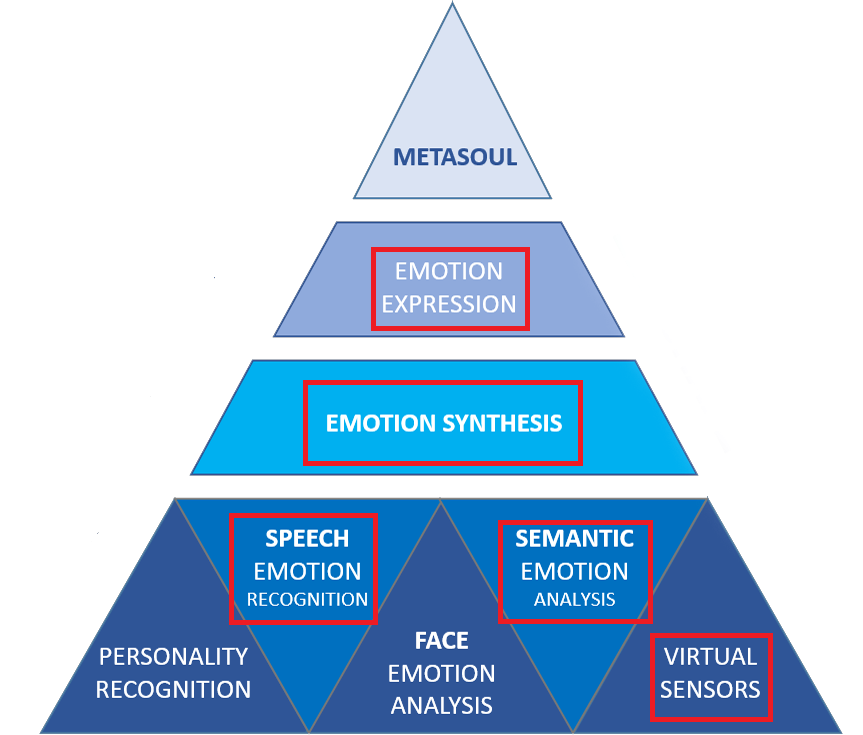
- MetaSoul delivers the entire BSP and software stack. With a complete suite of development, code sample, EPG machine learning cloud computing, and profiling tools, MetaSoul gives you the ideal solution for helping shape the future of Emotion AI and the metaverse with emotional awareness.
License
The cloud API are for personal and commercial projects. Limitations on Transfer and resell of data: Your limited license does not allow to transfer or resell any data from the Emotion processing Unit buffer for example, but not exclusively in a client server configuration.
EMOTION SYNTHESIS REST Cloud Api
Cloud API initialisation
Login
Before making any request to the cloud API, the user must login using the secret key and EPUID.
curl -X POST -H "Content-Type: application/json" -d '{"type":"cloud","secret":"<your secret>","epuid":"<your EPUID>"}' https://emohuman.com/login
If successful, the reply is a JSON object containing the reserved instance EPU ID:
{"epuid":"21062304000000ae31001db141c8bcb3","reply":"ok"}
All other requests must include both the secret and the EPU ID.
Once reserved, an EPU instance must be periodically updated every 10 seconds using a heartbeat request:
curl -X PUT -H "Content-Type: application/json" -d '{"epuid":"<your EPU ID>","secret":"<your secret>"}' https://emohuman.com/heartbeat
Without the periodic update the reserved EPU instance will be released automatically after 30 seconds after the last request.
A reserved EPU instance can be released explicitly using a logout request:
curl -X PUT -H "Content-Type: application/json" -d '{"epuid":"<your EPU ID>","secret":"<your secret>"}' https://emohuman.com/logout
All reserved EPU instances for a given secret can be released explicitly using a logout_all request:
curl -X PUT -H "Content-Type: application/json" -d '{"secret":"<your secret>"}' https://emohuman.com/logout_all
SEND TEXT OR CUSTOM EMO-WAVE
Sending text for synthetization can be done from command line with the simple following command:
curl -X POST -H "Content-Type: application/json" -d '{"secret":<your secret>, "epuid":<EPU ID>, "message":"I like you a lot"}' https://www.emohuman.com/send_text
You can also Send a custom Emotion wave (expert mode for sensors):
          curl -X PUT -H "Content-Type: application/json" -d '{"secret":<your secret>, "epuid":<EPU ID>, "type": <string from the set ["Excite", "Sure", "Happy", "Trust", "Desire", "Fear",
          "Surprise", "Inattention", "Sad", "Nostalgia", "Disgust", "Anger"]>,
        "level": <integer between 0 and 100>, "duration": <integer between 0 and 100>, "origin": <integer between 0 and 65535>, "apex": <integer between 0 and 99>, "curve": <integer between 1 and 255>}' https://www.emohuman.com/custom_wave
If successful the reply is a JSON object:
{"reply":"ok", "epuid": <EPU ID>}
otherwise the reply is:
{"reply":"error", "message": <error message>}
Emotion Generation Control
-
Pause
curl -X PUT -H "Content-Type: application/json" -d '{"epuid":<EPU ID>}' https://www.emohuman.com/pause?secret=<your secret>
Resume
curl -X PUT -H "Content-Type: application/json" -d '{"epuid":<EPU ID>}' https://www.emohuman.com/resume?secret=<your secret>
Reset
curl -X PUT -H "Content-Type: application/json" -d '{"epuid":<EPU ID>}' https://www.emohuman.com/soft_reset?secret=<your secret>
EMOTION RESPONSE "MDAD" BY SOCKETIO (STREAMING )
-
The socketIO server has the same address as the HTTP server: wss://emohuman.com/socket.io
MDAD event
The MDAD event is emitted when a new MDAD matrix is available (every 200 ms).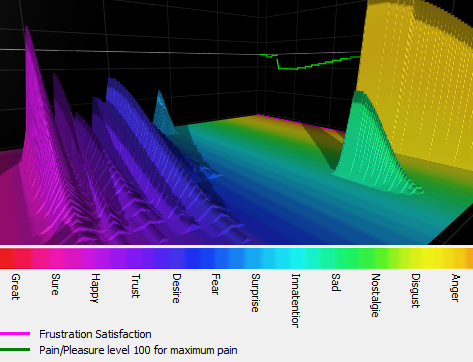
The MDAD matrix is a 10x12 matrix of integers.
The event is emitted into '/<EPU ID>' namespace for a given EPU instance. The MDAD matrix is send into a JSON object with the following format:
{‘epuid’: ‘<EPU ID>’, ‘mdad’: <list of integers of size 10 x 12, first 12 are the first column>}
Live Demo (You will need your secret)
-
Click here Make sure you Insert in the URL your Secret after the "=" and reload the page. Then click login and send a text, you will see the live MDAD matrix evolve.
Speech Emotion Recognition (SER) WebApp
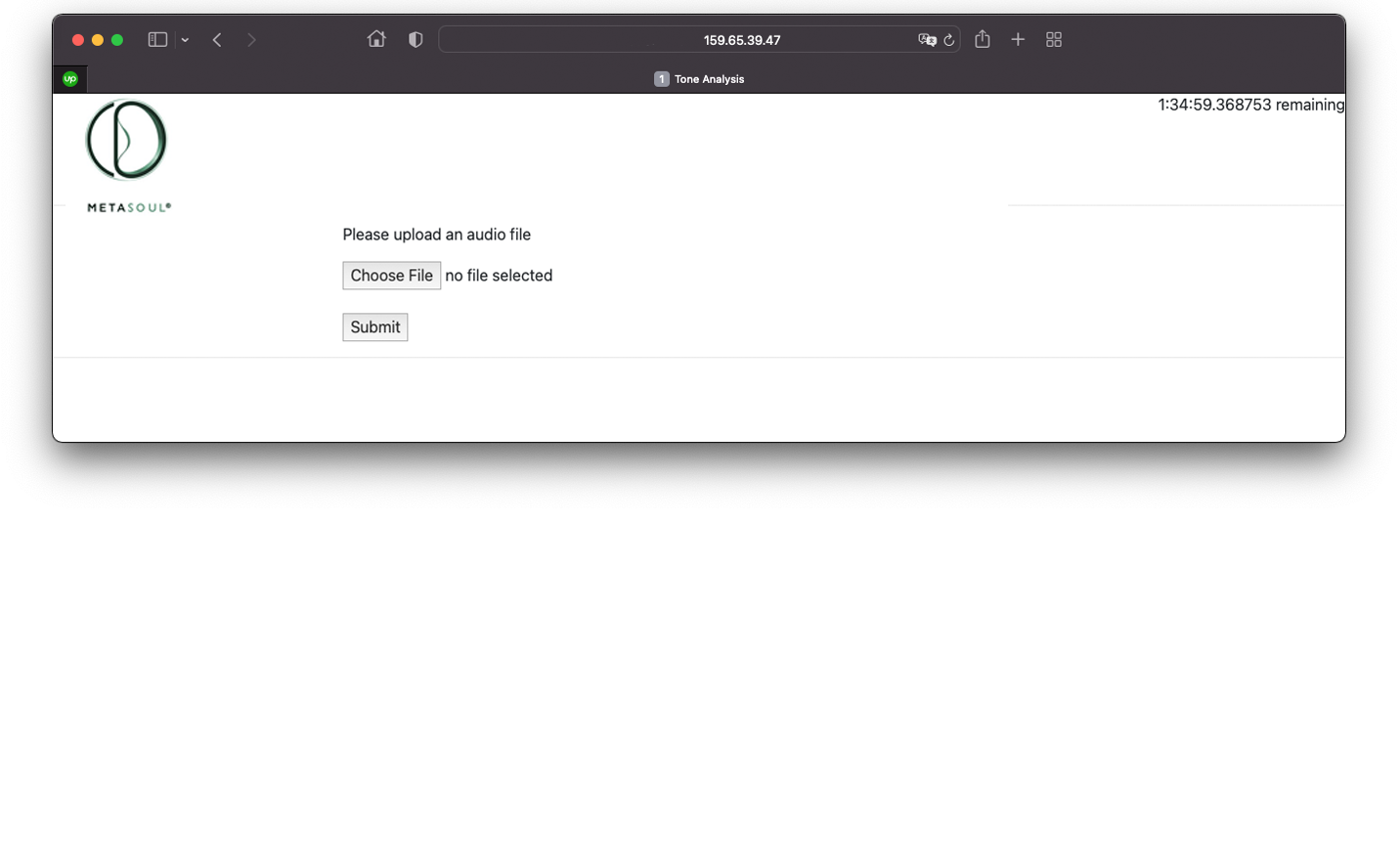
Upload wav file
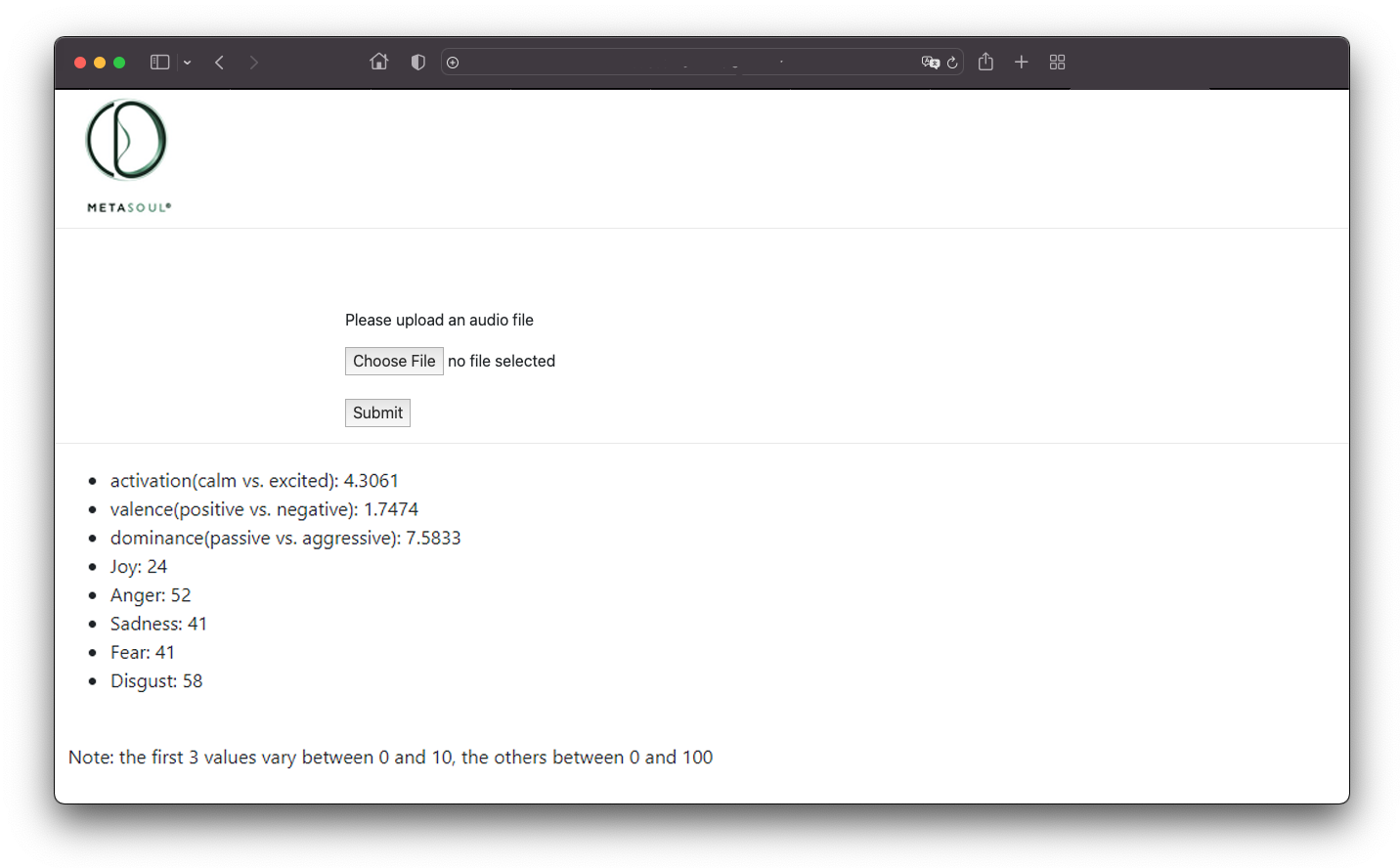
SER Results
SER by REST API
Your Secret Key has been generated for you in your in your EPU Cloud account.The secret must be HTML encoded in order to be part of a valid URL, i.e. chars like & or < must be encoded using for example: https://codebeautify.org/html-encode-string In order to extract emotion values from a given wav mono file use:
curl -F fileToUpload=@<wav file> https://ser.emohuman.com/api?secret=<your secret>
The reply is a JSON object with estimated emotion values and the remaining audio time (hh:mm:ss):
{"Anger":68,"Disgust":58,"Fear":53,"Joy":22,"Sadness":53,"activation(calm vs. excited)":5.5322,"dominance(passive vs. aggressive)":7.3982,"remaining_time":"1:58:04","valence(positive vs. negative)":-0.8319}
Optionally an EPUID can be specified:
curl -F fileToUpload=@<wav file> https://ser.emohuman.com/api?secret=<your secret>&epuid=<your EPUID>
In this case the reply is the same JSON object as above with an additional epuid field.